ERP Comparison That Matters: Cost, Customization & Control
Comparing Odoo and NetSuite
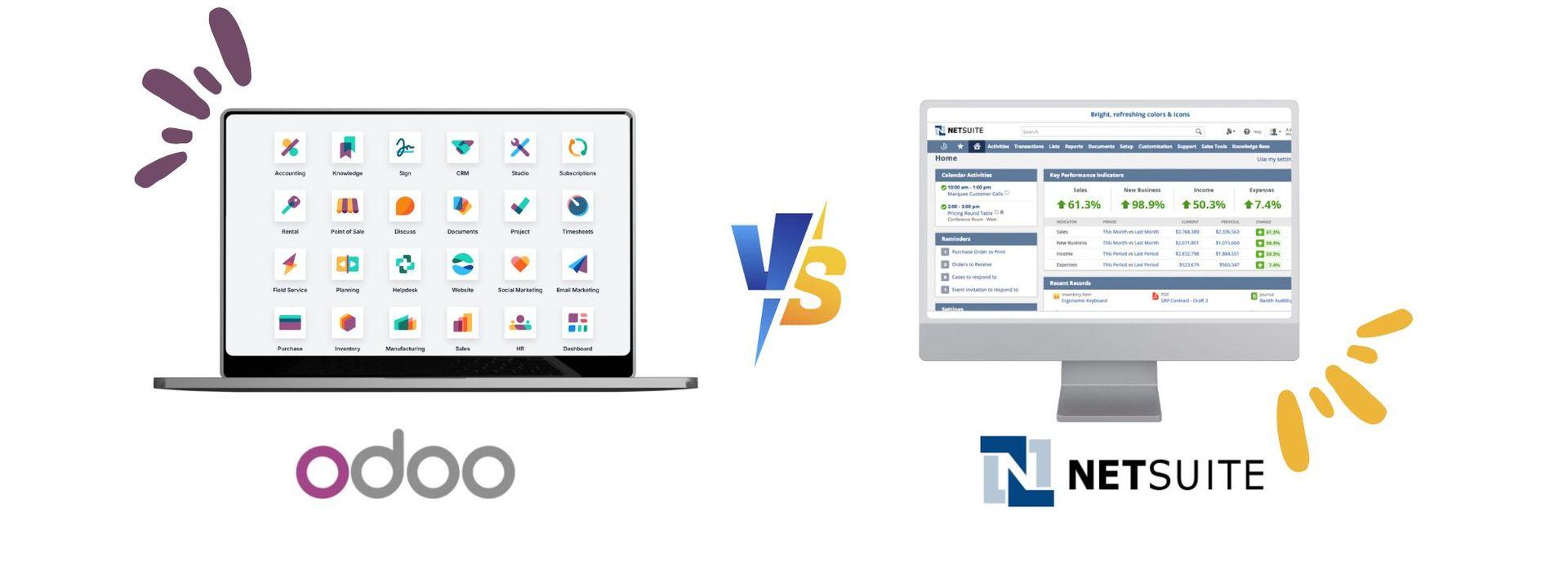
When it comes to choosing the right business management software for your company, two names often stand out: Odoo and NetSuite. Both are powerful enterprise solutions, but they serve different types of businesses and needs. Whether you're a small startup looking for an affordable, customizable solution or a large corporation seeking an all-in-one cloud-based system, understanding the key differences between these platforms is essential to making the right choice.
In this guide, we compare Odoo and NetSuite across various features, such as cost, scalability, customization, ease of use, and deployment. We’ll also highlight why Odoo might be a better choice for many businesses, especially small to mid-sized ones, looking for flexibility and cost-efficiency without sacrificing performance.

Licensing and pricing transparency affect cost and flexibility

Implementation time and flexibility impact how fast you can go live

Customization and app options determine fit for unique needs

User interface design influences ease of use and adoption

Core features and integration affect overall system efficiency

Scalability and support shape growth potential and assistance
What is Odoo?
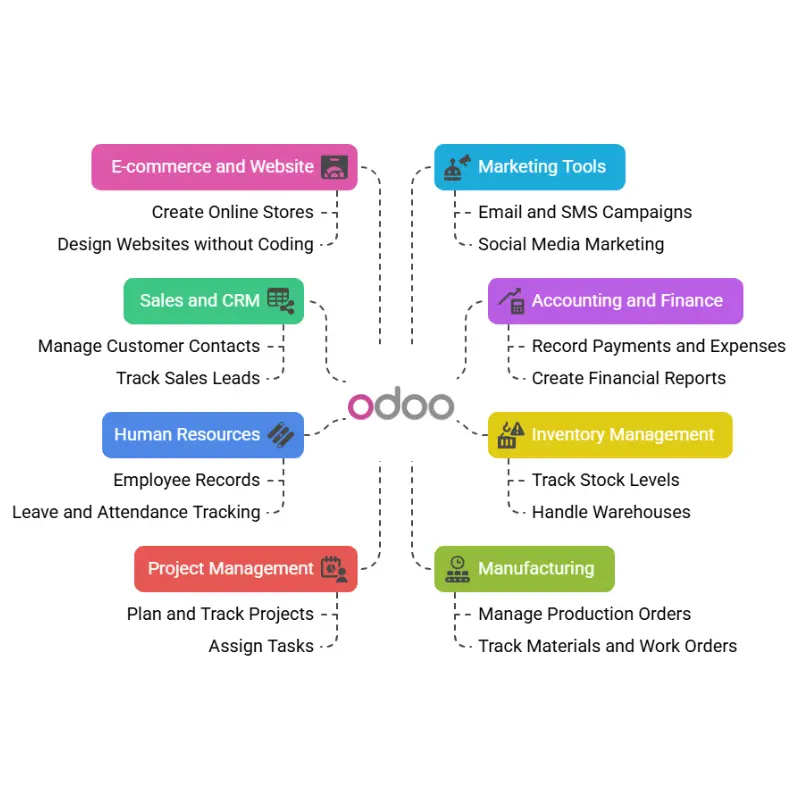
Odoo is a business management software that helps companies run their daily tasks in one place. It is known as an ERP (Enterprise Resource Planning) system. This means it brings together different parts of a business—like sales, accounting, inventory, and more—into one easy-to-use system.
Odoo is used by many businesses around the world because it is flexible, affordable, and can be used by small, medium, or large companies. It is available in two main versions:
Odoo Community (free and open-source)
Odoo Enterprise (paid, with more features and support)
What is NetSuite?
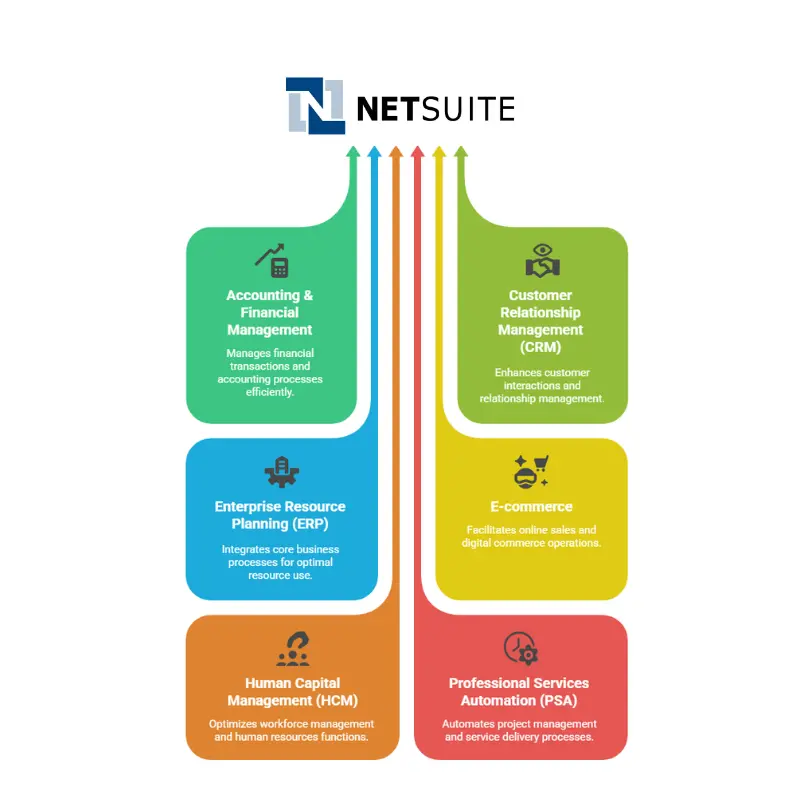
NetSuite began in 1998 under the name NetLedger, initially offering cloud-based accounting software. Over time, it expanded into a comprehensive suite of business management tools. As the name suggests, NetSuite operates entirely in the cloud.
NetSuite uses a modular system, meaning each setup includes a combination of its main components or “applications.” It provides pre-built “suites” designed for the specific needs of various industries. Some applications come in both standard and advanced versions.
Odoo vs. NetSuite – Simple Comparison Table
Features
License Type
Odoo
Open-source (community + enterprise)
NetSuite
Proprietary (closed-source)
Why It Matters
Open-source allows more flexibility, lower cost, and transparency. Proprietary limits control.
Pricing Transparency
Public, transparent pricing
Custom pricing (can be expensive and unclear)
Transparent pricing helps with budgeting and decision-making. Hidden costs create risk.
Implementation Time
1 to 24 months (flexible, modular start)
3 to 6 months (usually full-scale, more rigid)
Flexibility allows smaller businesses to start small and grow. Rigid setups can be overwhelming.
Customization
Highly customizable with 44,000+ modules
Limited customization without extra cost
Customization ensures the system fits business needs. Lack of it may lead to inefficiencies.
User Interface
Modern, clean, and easy-to-use
More corporate, less intuitive for non-technical users
A friendly interface reduces training time and boosts user adoption.
App Ecosystem
44,000+ apps in Odoo App Store
300+ SuiteApps (NetSuite Marketplace)
A larger ecosystem provides more ready-made tools and solutions for various industries.
Integration
Built-in integration between all modules
Integration often requires third-party tools
Seamless integration increases productivity and avoids data silos.
Updates & Flexibility
Frequent updates, fast improvement cycle
Slower updates, with fewer user-driven changes
Regular updates ensure better security, features, and faster adaptation to user needs.
Mobile Experience
Fully mobile-optimized apps
Mobile support exists, but limited to core functions
Mobile access boosts remote work efficiency and real-time decision-making.
Inventory Management
Multi-warehouse, barcode, real-time tracking
Similar features, but less flexibility without additional cost
Efficient inventory handling reduces errors, improves order accuracy, and saves money.
MRP Functionality
BOM, routing, scheduling, work centers, planning
Available, but requires more setup and expertise
Easier setup allows manufacturing businesses to run operations smoothly and affordably.
Maintenance Management
Preventive, corrective, and predictive
Available, but integration isn't always seamless
Integrated maintenance lowers downtime and increases asset life.
Customer Support
Multiple partners worldwide; community support available
Premium support requires expensive subscription tiers
Affordable support options help small businesses solve issues without high costs.
Scalability
Suitable for startups to enterprises
More tailored for medium to large enterprises
Scalable tools allow businesses to grow without changing systems frequently.
Customer Testimonials
Many cases of users saving money and increasing productivity
Some complaints about price, complexity, and user experience
Real-world feedback helps businesses evaluate reliability, cost-efficiency, and ease of use.
Why Odoo Better Than NetSuite?

Implementation & Support
Odoo provides flexible implementation options—from doing it yourself to hiring certified partners. This allows businesses to choose what fits their budget and timeline. NetSuite typically involves a longer, more rigid implementation path, and customizations often lead to higher consulting fees and longer deployment cycles.

Cost-Effective
Odoo’s open-source foundation significantly reduces upfront and ongoing costs. Businesses only pay for the apps they use, avoiding expensive bundles or licenses. This pay-as-you-grow model is ideal for startups and SMEs. Real-world cases, like CSC Scientific, report saving thousands annually after switching from NetSuite to Odoo.

Better Customization
With access to thousands of open-source modules and third-party apps, Odoo can be tailored to fit nearly any business process. Developers can customize workflows, user interfaces, and automation rules. This makes it highly adaptable, whereas NetSuite often requires expensive consulting for similar levels of customization.

User-Friendly Interface
Odoo features a modern, intuitive interface designed for all users, including those without technical expertise. Its clean layout and easy navigation reduce training time and boost productivity. In contrast, NetSuite’s interface can be cluttered and less approachable, especially for smaller teams unfamiliar with complex ERP platforms.

Community & Ecosystem
Odoo has a large and active open-source community that continuously contributes new modules, fixes, and improvements. This ecosystem encourages faster innovation and broader support. Its app store offers thousands of integrations and tools, far outpacing NetSuite’s more limited SuiteApp marketplace in both variety and accessibility.

Flexible & Modular
Odoo's modular design allows companies to start with essential apps and add more as they grow. This flexibility avoids overcomplicating workflows and reduces unnecessary costs. Whether a business needs just invoicing or full-scale manufacturing, Odoo adapts without forcing a full system overhaul, unlike more rigid ERP systems.
Our Next Comparison Page